
I have sales data, now I’ll show you how we can create a monthly summary from it
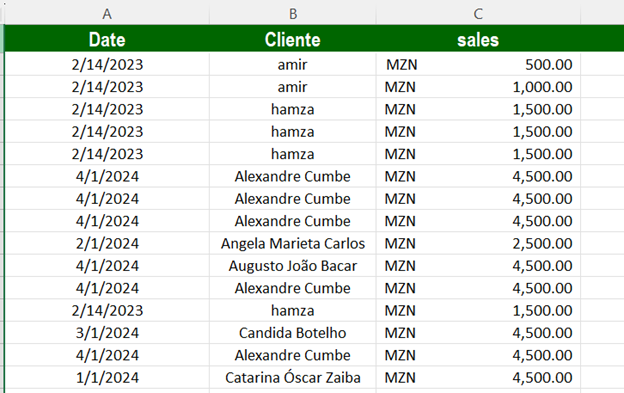
I have the data below, please take a look.
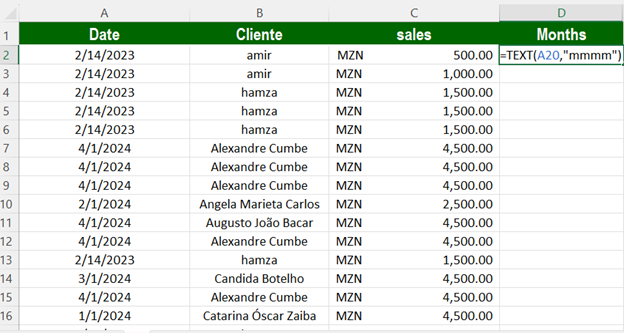
Create a new column.
To extract the month from the date
And apply the TEXT formula.
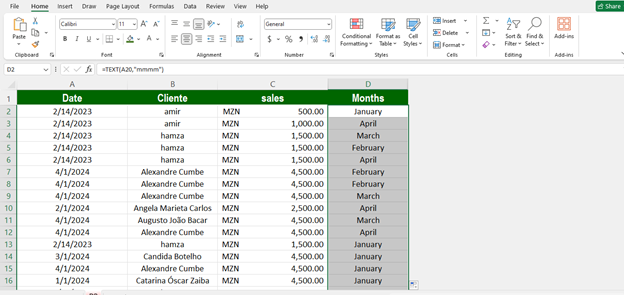
Drag The formula
And This interface Has Come
Insert Pivot Table on This Data
Select All The data And Goto Pivot Table
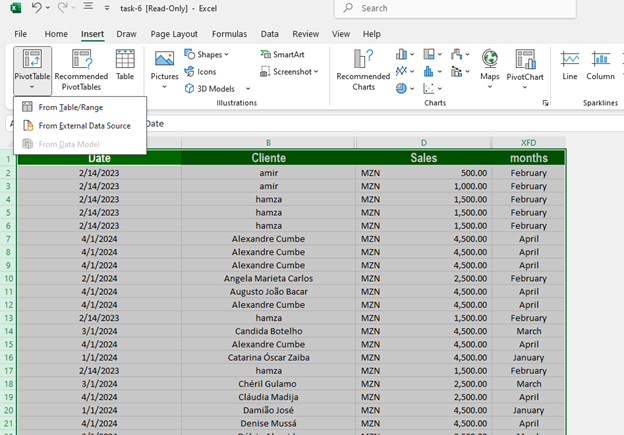
Then Select Fro Table/Range
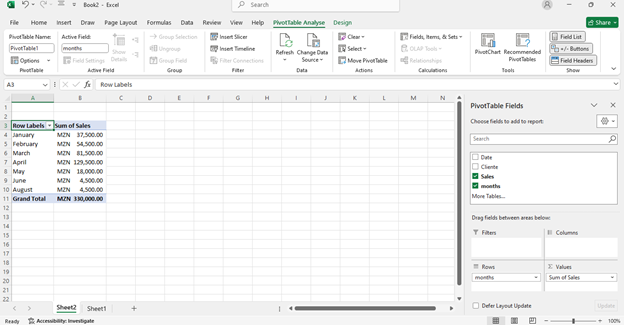
In the Pivot Table Field List:
- Drag “Months” into the Rows area
- Drag “Sales” into the Values area
Make sure it’s summarizing by Sum (which it does by default)
That’s It Ready Your Sale Summary
Thank You