
What Is Sorting in Excel?
Sorting allows you to rearrange data based on specific values or criteria — such as alphabetically by name, numerically by sales, or chronologically by date.
So Let’s Start >
I Have This Data In Excel File I want To sort This Data In Largest To Smallest>
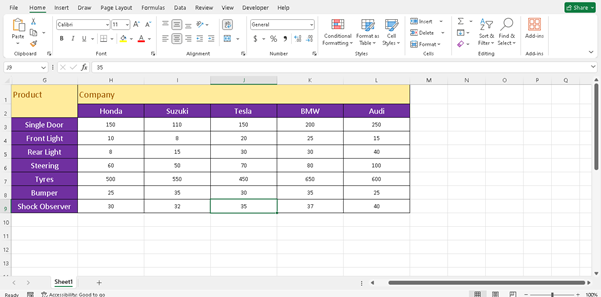
Step 1
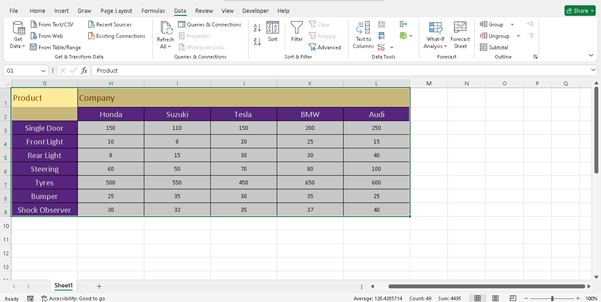
Select The Data Range You Want To sort
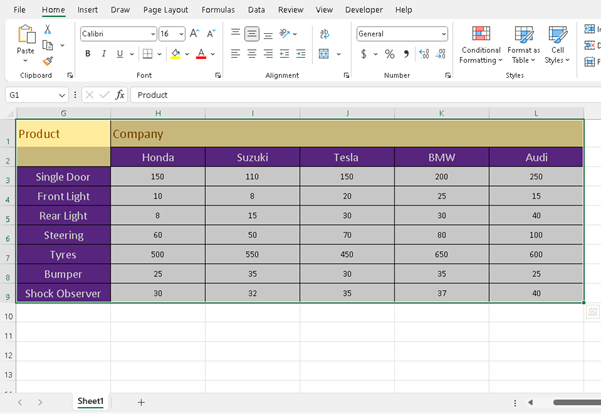
Step 2
Go to the ‘Data’ Tab
On the top ribbon, click the Data tab.
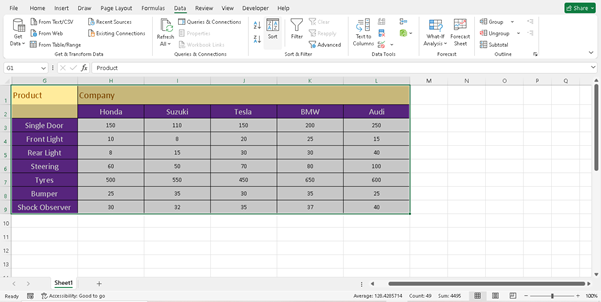
Step 3
Use the Sort Buttons
- Sort A to Z (ascending) – good for text or smallest to largest numbers.
- Sort Z to A (descending) – good for latest dates or largest to smallest numbers.
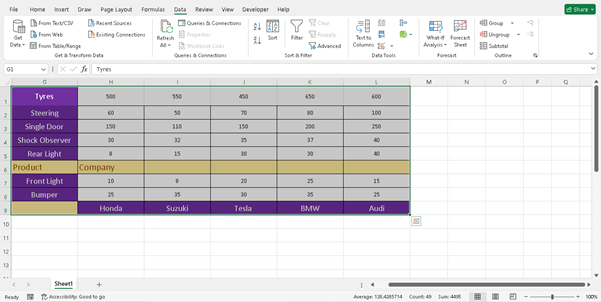
I want To Sort Z to A ( Largest To Smallest )
That’s It The Data has Been Sorted
What Is Filtering in Excel?
Step 1
Select the Data Table
Click any cell within your data range.
Make sure your data has column headers (this is important for filters to work correctly).
Step 2
Apply Filters
Go to the Data tab.
Click the Filter button (it looks like a funnel).
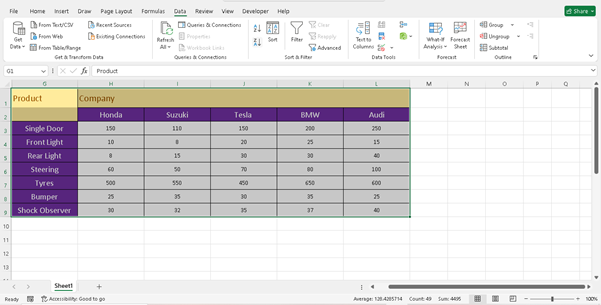
And Click On Filter
Which Is Next To Sort >
Final Thoughts
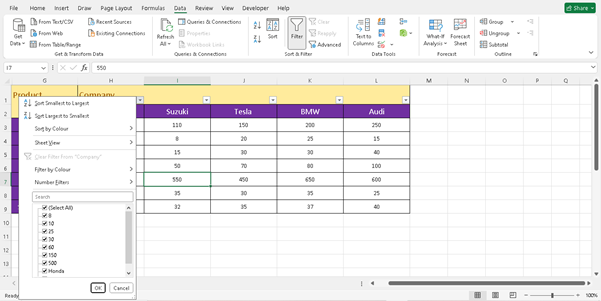
You Can Sort Data By using Filter And many Other Function
So Thank You For Your Time
Take Care
Thank You