
I have below sale data let me show you How To Highlight A Whole Row By Using Specific Cell Value
I have data below
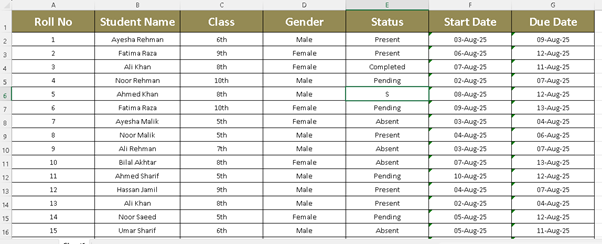
“I want to highlight a row based on a cell value. For example, in this data, I want to give a different color to Female and a different color to Male.”
Steps Of Solution:
Step 1.
Select Data Except Headings
Step 1 Solution.
Select B1 By Clicking B1 Value And Then Press CTRL+SHFT+RIGHT ARROW+DOWN ARROW
. And Goto Conditional Formatting .
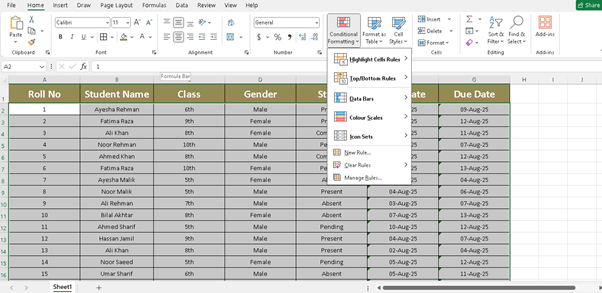
Step 2.
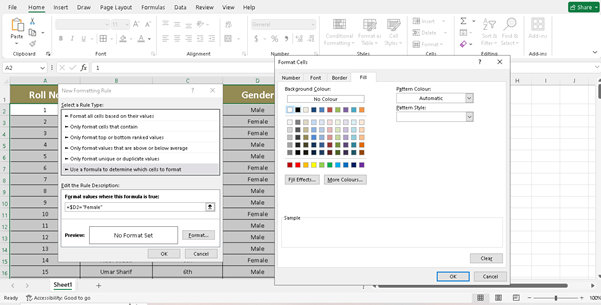
In Conditional Formatting Click On New Rule. And Then The Last One Option (Use Formula To Determine Which Cells To Format).
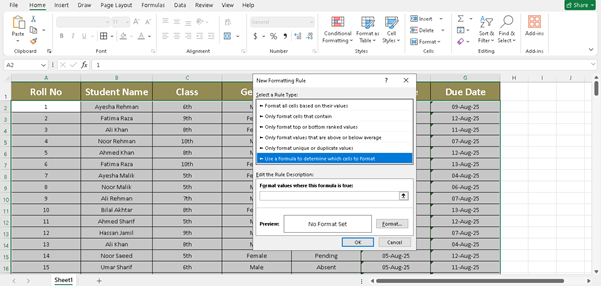
Step 3.
Use This Formula For Highlight The Female Rows
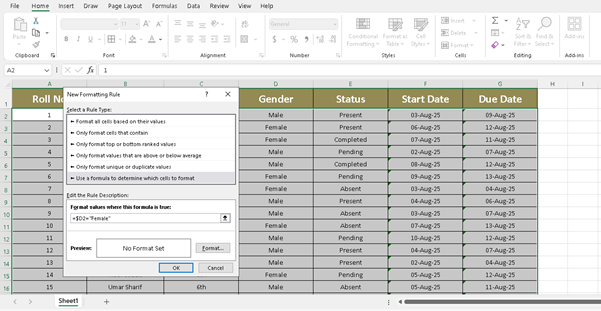
Step 4.
Select The Anyone Cell In Gender Like (D2) And Click 2 Times On F4 To Unlock Block Cells.
Step 5.
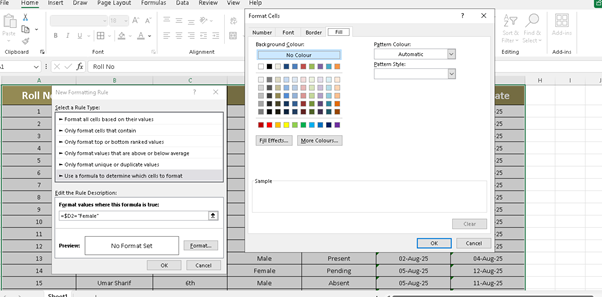
Type Full Formula .$D2=”Female”
“What does this formula mean — that D2 is equal to what? To ‘Female’?“
Step 6.
Go To Format
And Click On Top Right Fourth Button (Fill)
And Click On Top Right Fourth Button (Fill)
Step 7.
Click On Any Colour You Want e.g (Green,Yellow,Red,Black,White. etc)
And Click OK
Final Checkup.
That’It Here Is Your Solution
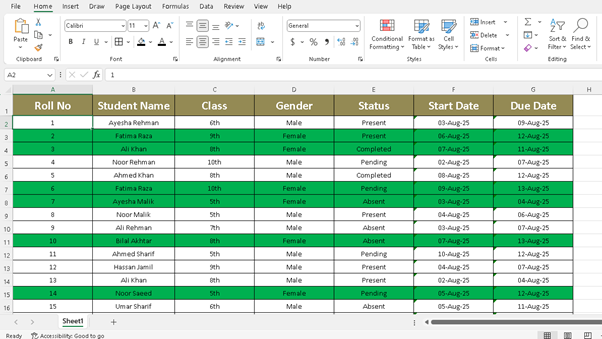
“Is The Entire Procedure The Same For Male As Well?
Both Procedures The Same?”
Thank You