
Introduction
Google Sheets is a powerful spreadsheet tool that offers many features to organize and analyze data. One of the most commonly used features is the dropdown list, which allows you to select predefined options in a cell.
But by default, Google Sheets only allows one selection at a time in its dropdown menu.
What if you want to select multiple items from a dropdown?
This guide will walk you through two methods to create a dropdown for multiple selections in Google Sheets.
Let’s Go
First Of all Open Your Google sheet
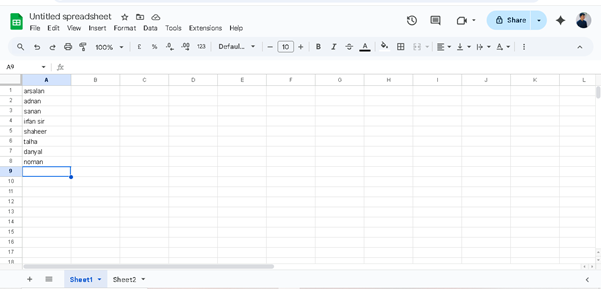
We Have This Data For Dropdown In Google Sheet>
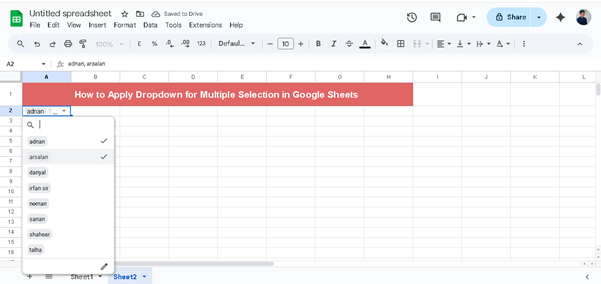
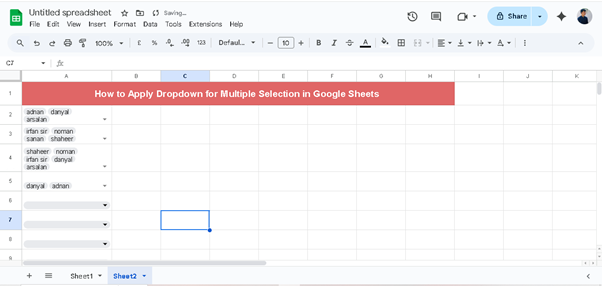
We Have Put Here Dropdown For Multiple Selection>
Step 1
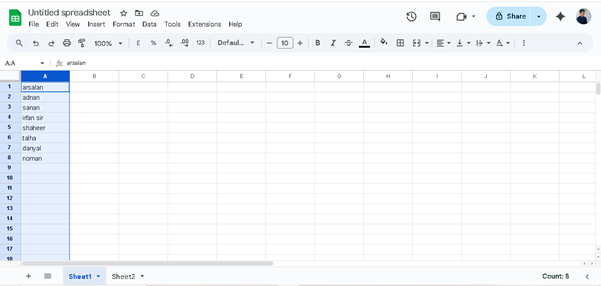
Select The Ranges
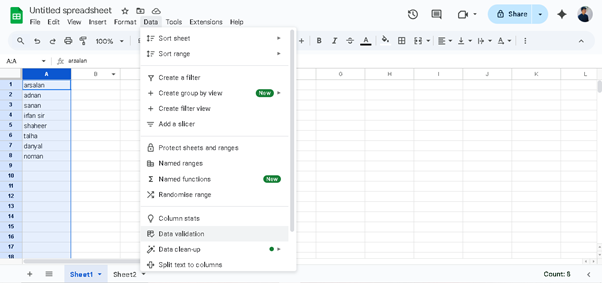
Go To Data And Then Data Validation >
Click on Data Validation And then Click New Rule>
Click on Add Rule
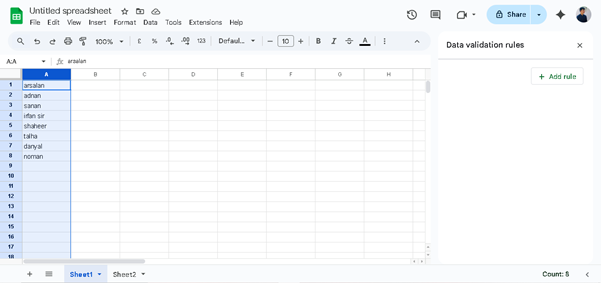
Click On Apply To Range
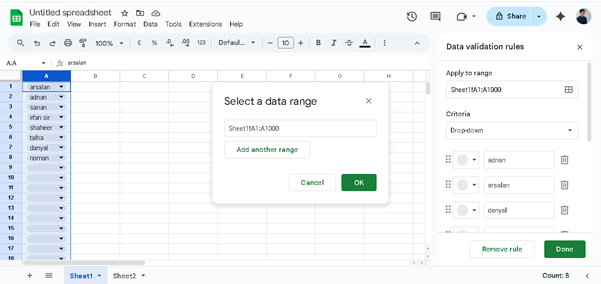
Select Your Range And The Ok
And Scroll Down The Right Side And Click On Allow Multiple Selection
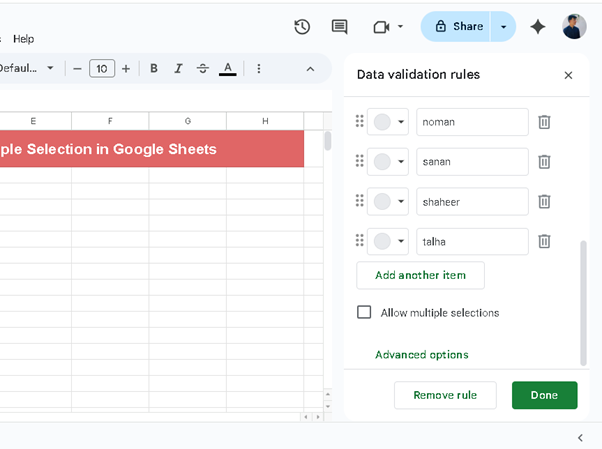
And Then Ok
See The Magic >
Final Interface
Thank You