
I have the given sales data I’ll show you how we can clean this ten-thousand row data.
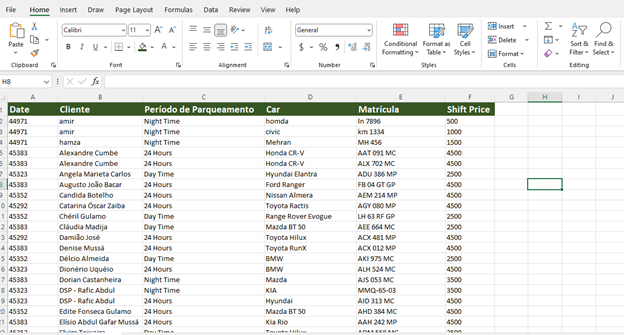
I have input sale data below
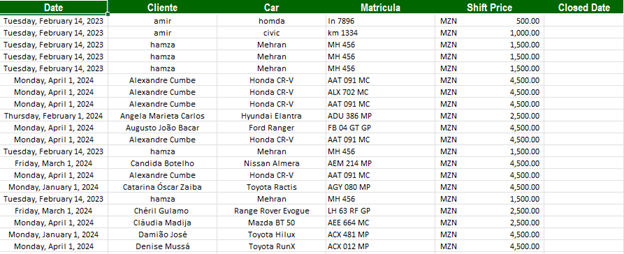
I want to clean this data it has duplicates and spelling mistakes I will do it.
Steps Of Solution:
Step 1.
Select Data Except Headings
Step 1 Solution.
Select B1 By Clicking B1 Value And Then Press CTRL+SHFT+RIGHT ARROW+DOWN ARROW
Go to Conditional Formatting .
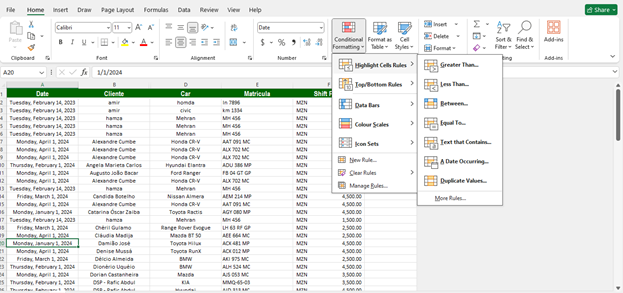
Go to Conditional Formatting then to Highlight Cell Rules click on Duplicates choose a color there and click OK.
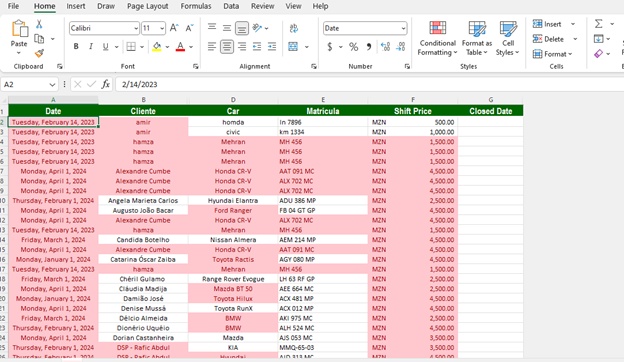
Then go to Data.
Go to Data then to Data Tools and click on Duplicate Values.
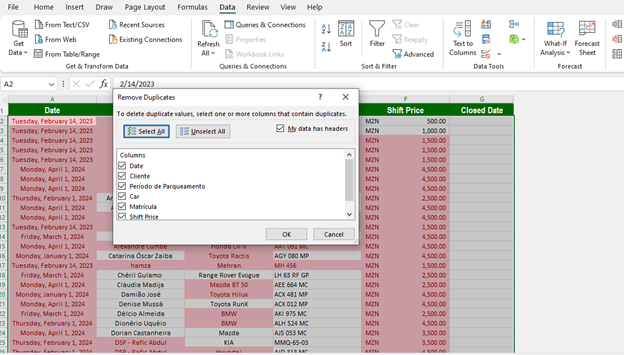
and click on OK.
then your duplicate values will be removed.
then after that
Select the data
Then open another sheet and apply the TRIM formula there. After that go to the first sheet select the data, and press Enter.
So your data cleansing is done.
Thank you.