
Real Life Examples (Easy & Beginner Friendly)
- Removing Duplicates
You ask ChatGPT
How do I remove duplicates in Excel
ChatGPT replies
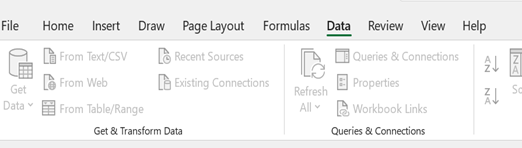
Go to Data
Click Remove Duplicates
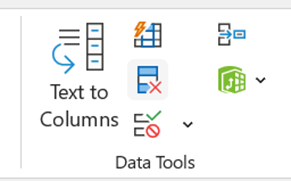
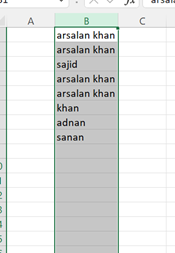
Choose the column
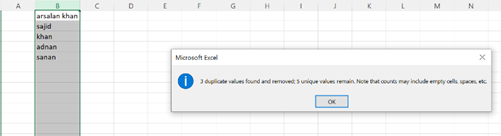
Done
- Fixing Inconsistent Formatting
You ask ChatGPT
Some names are in lowercase and some in UPPERCASE. I want them Proper
ChatGPT gives you formula
Use this in a new column
=PROPER(A2)
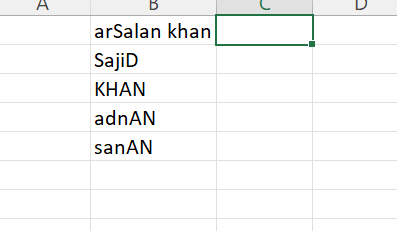
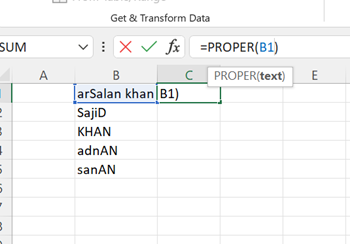
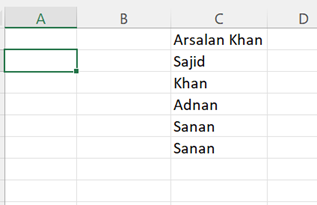
Now “arSalan Khan” becomes “Arsalan Khan
- Splitting Full Names into First and Last
. You ask ChatGPT
How do I split full names into first and last in Excel
ChatGPT tells you
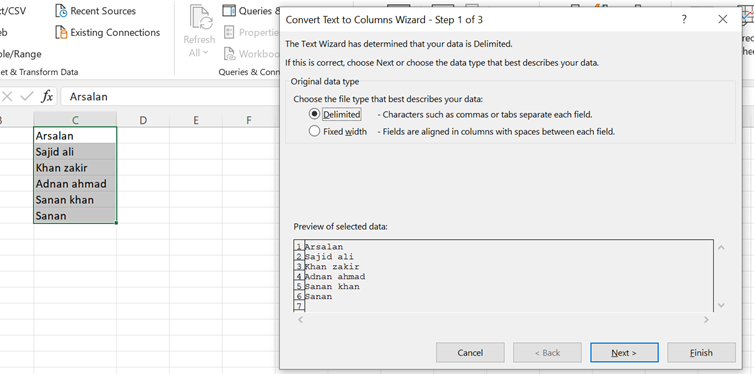
Use Text to Columns under the Data tab
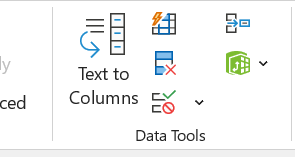
Choose Delimited
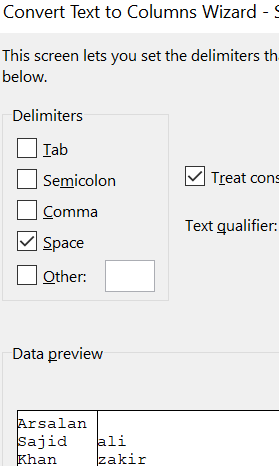
Select Space
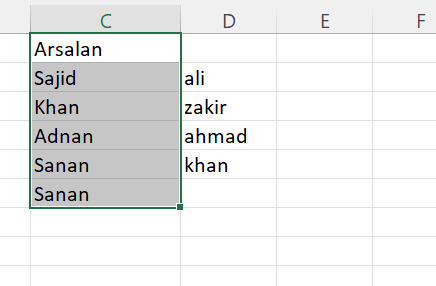
. Done
- Removing Extra Spaces
You ask ChatGPT
. Some cells have too many spaces. How to fix it
. ChatGPT replies
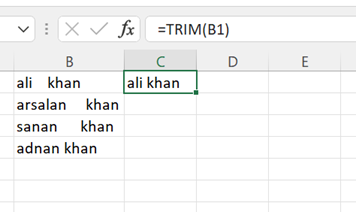
. Use this formula
=TRIM(A2)
That removes all unwanted spaces
.
Now Drag the formula
And done