
Today is very interesting and one of the most powerful and easy tool of excel power query
a tool by which you can process thousands and millions of data in minutes
First Step:
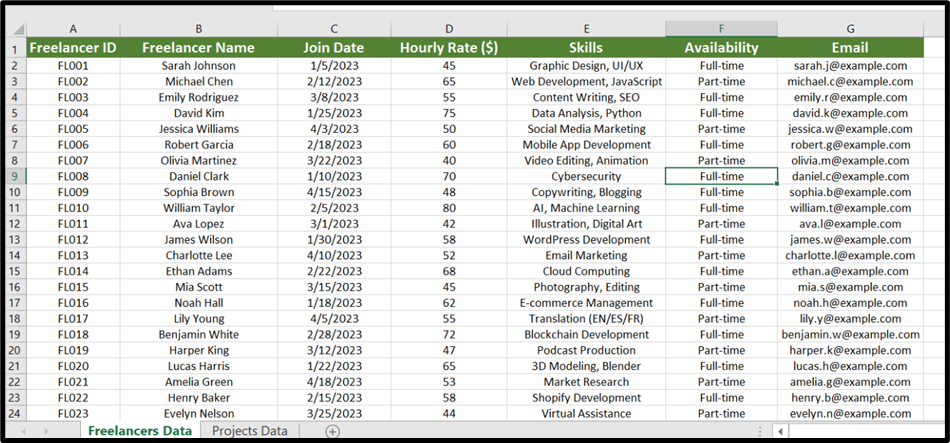
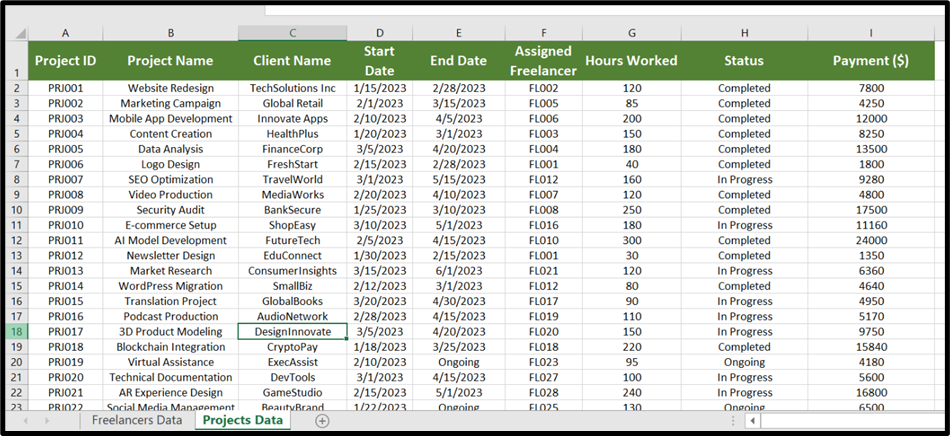
Setup your data you want to merge
let suppose I have freelancer data and project data
Freelancer data in separate sheet and project data in separate
as shown in below images:
Second Step:
Save your worksheet
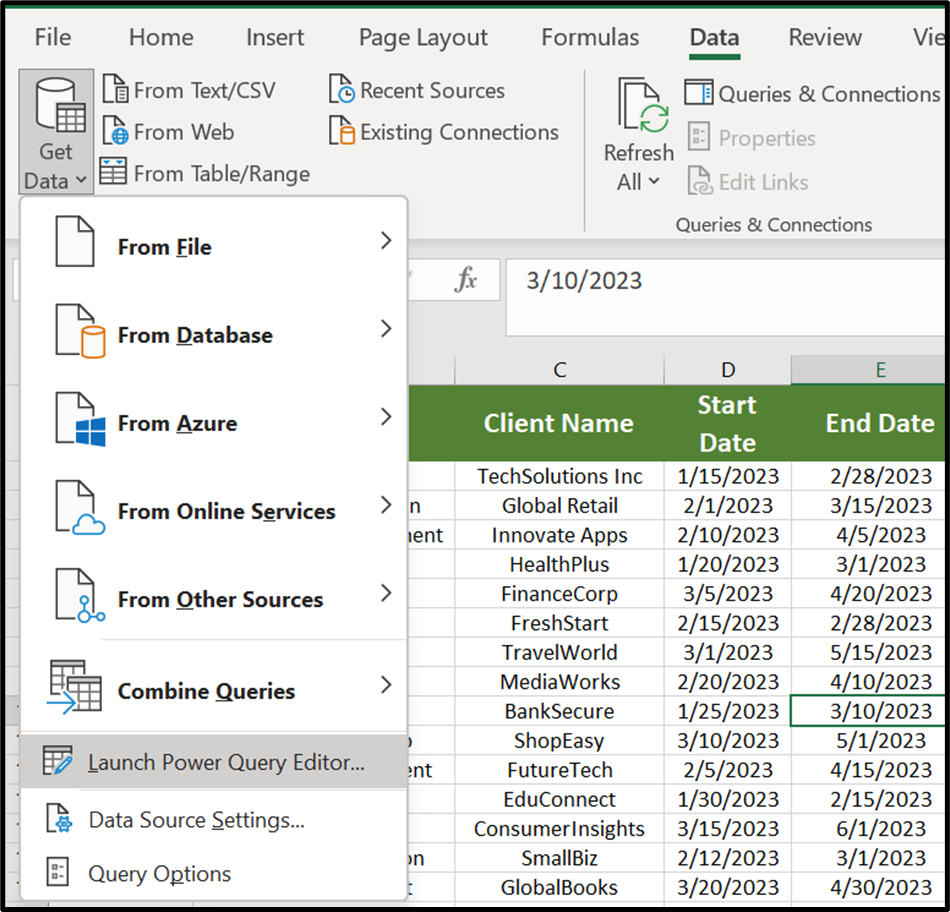
And then go to Data tab and Click on get data
In get data click on launch power query:
Third Step:
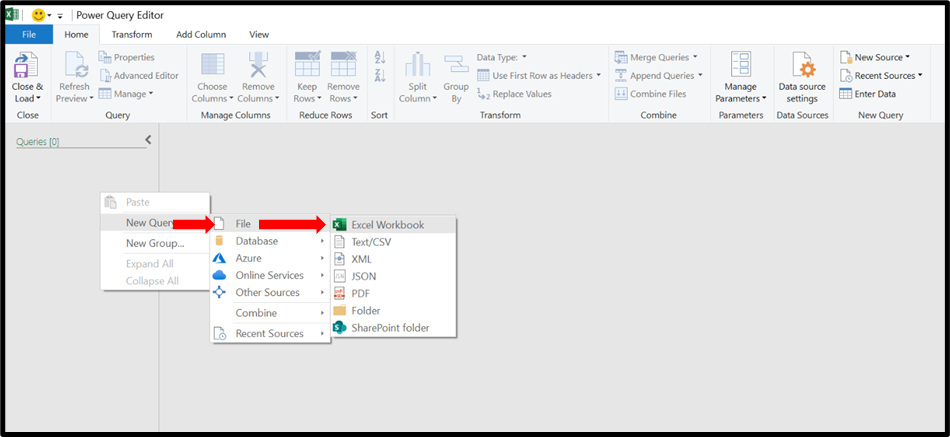
Right click on left panel and click on New Query
Then click on file and select Excel Workbook.
and select your saved file
As Shown in image.
Fourth Step:
A New Window will pop up
Select your both freelancer and Project data Which is in different Sheets
But Before check Select
And Click Ok.
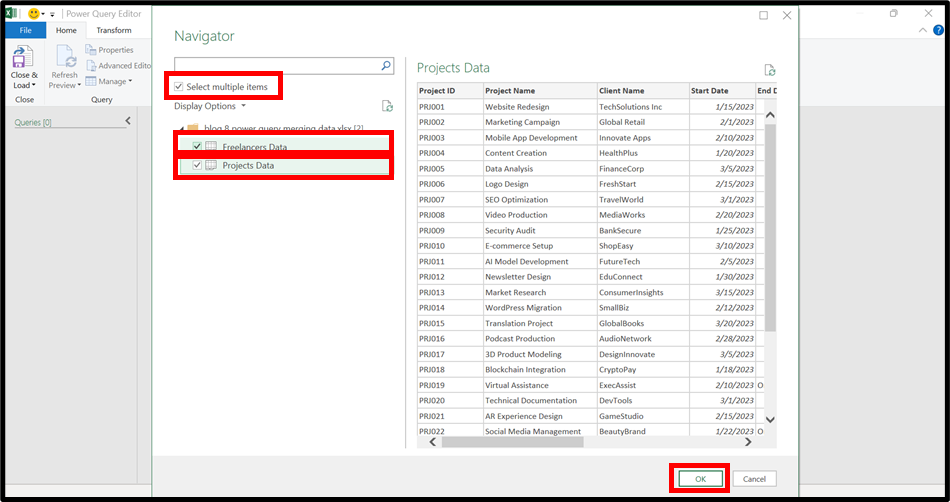
Fifth Step:
You will see interface like below
simple click on merge queries:
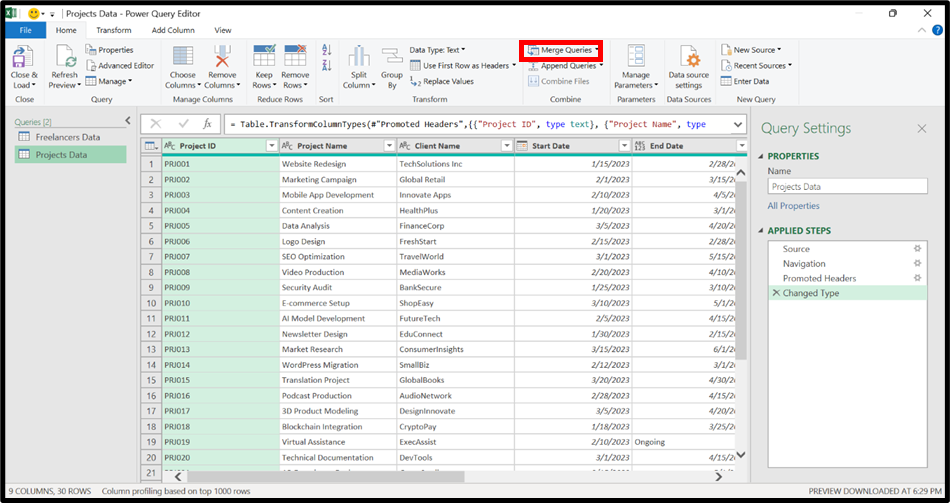
You will see and new window will popup as shown below:
In the first section we have already project data.
We need to select freelancer Data.
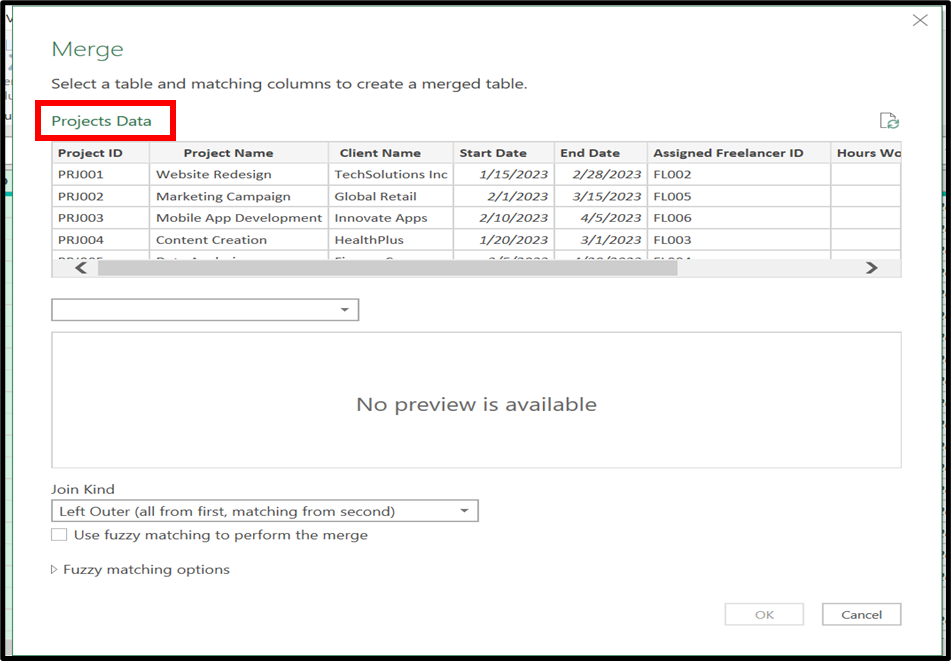
So Simply click On the dropdown highlight below.
And select Freelancer Data you will see freelancer data in second section
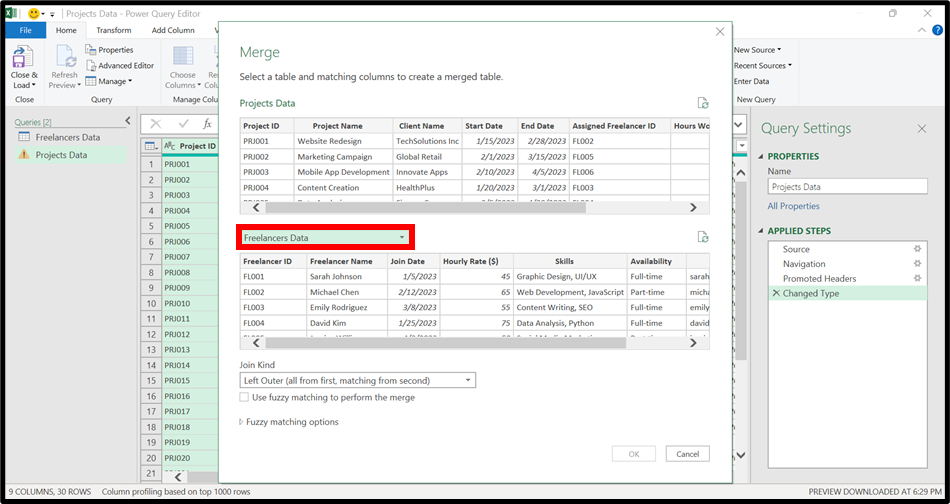
Next step in join kind dropdown
select inner (only matching rows)
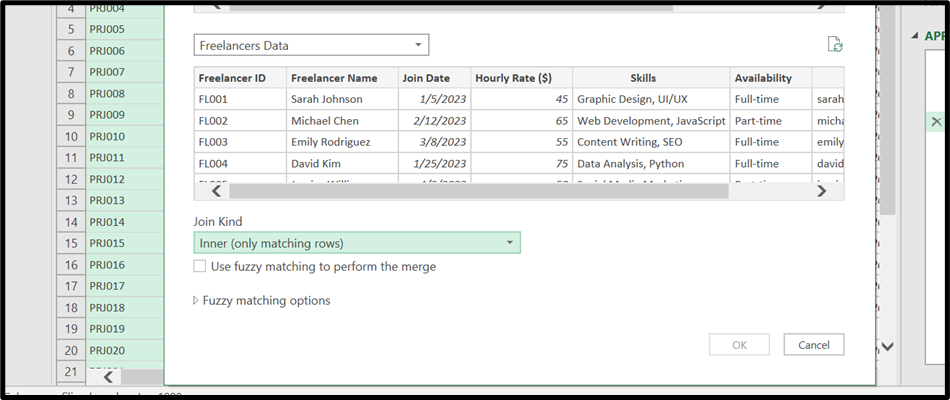
and select common column in both section which is freelancer id:
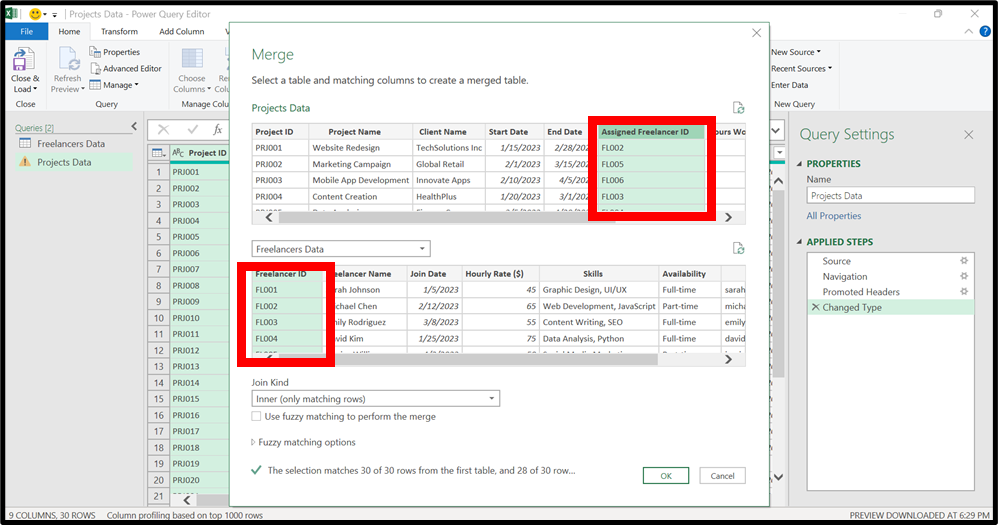
then again click on join kind dropdown and select Left outer (all from first, matching from second)

And click OK.
Now you will see and new table is created in side of query:
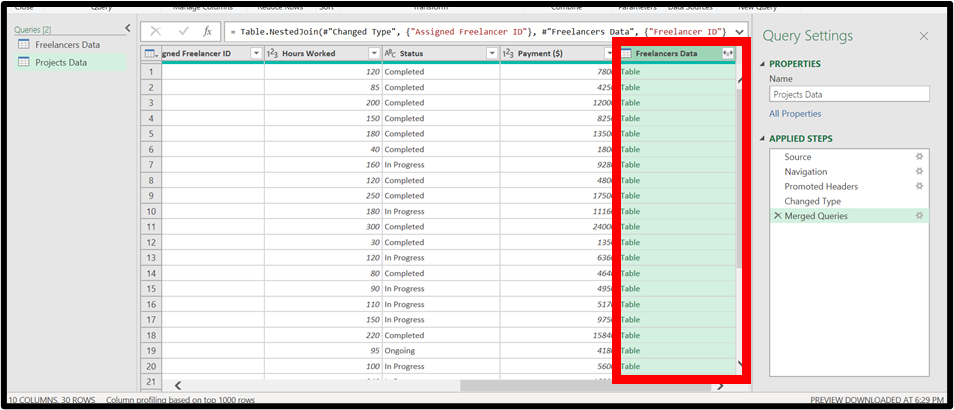
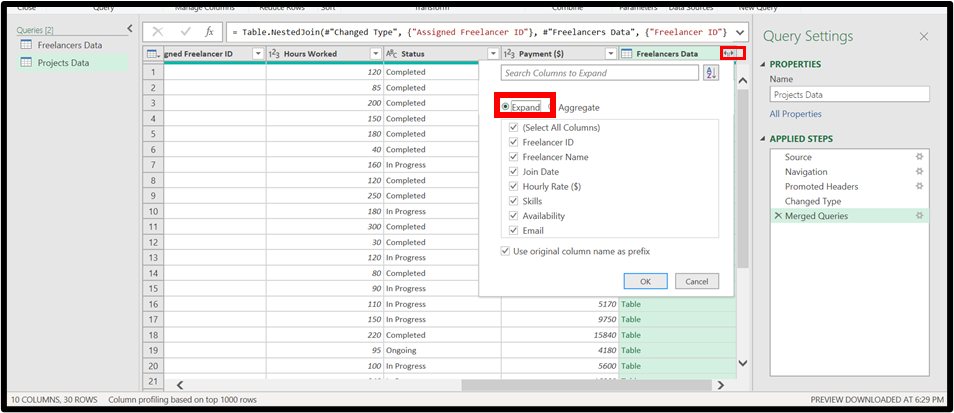
Click on the filter above and select expand and then ok.
sixth Step:
Now click on Close & Load
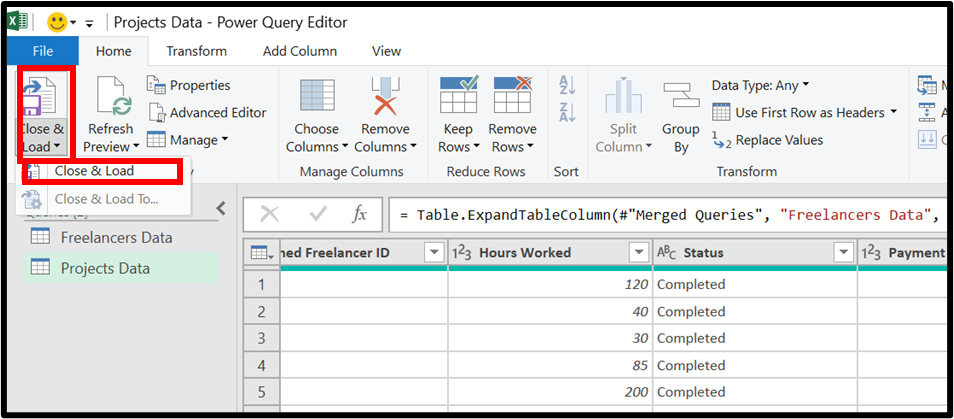
It will create a sheets and load data to it.
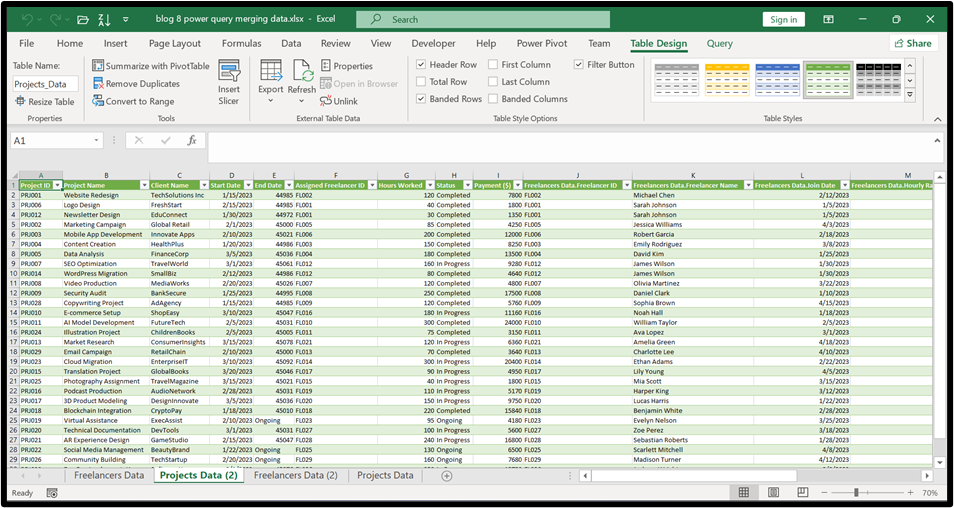
Now check the data is merged it don’t care how much the data is hundreds or thousands rows and columns of data in seconds.
Hope you liked it! Thanks for reading till the end. We’ll meet again in the next exciting topic.Hbkjbkj
For premium Excel services at affordable prices with guaranteed quality, visit our website:
www.irfanai.com