
HOW TO USE SLICER IN EXCEL
The data is given below
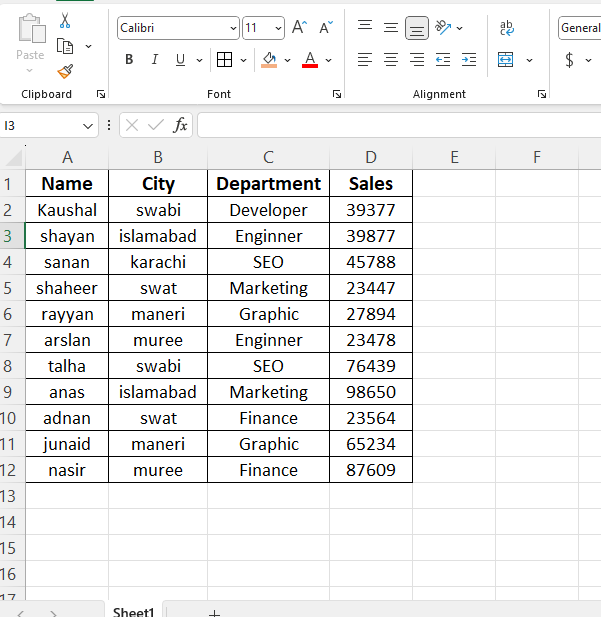
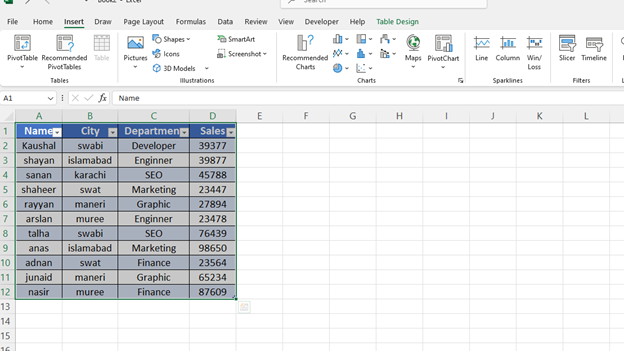
Now we have to convert this data into table form.
Now we have to press Ctrl+T, and this data will be converted into table form.”
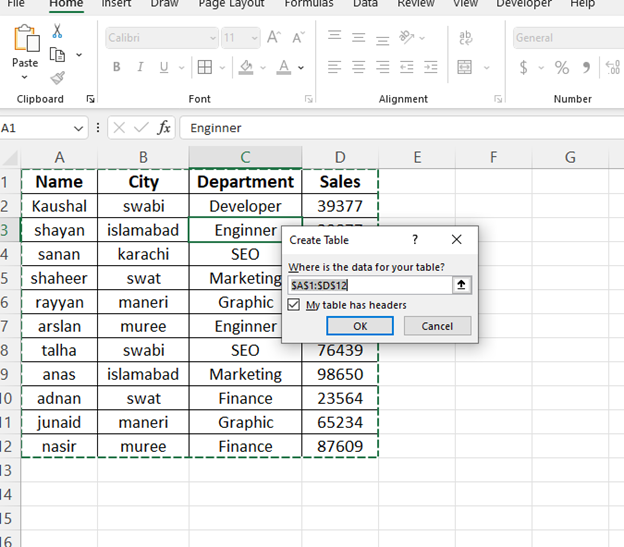
Press the ok button
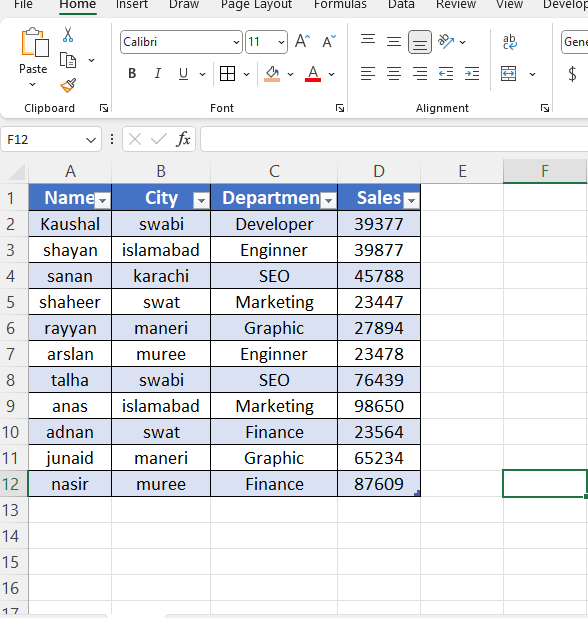
It has been converted into table form.
Go to Insert from Home
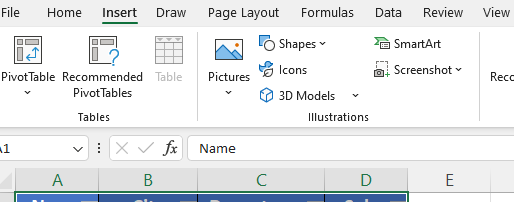
Select all data.
Click the slicer.
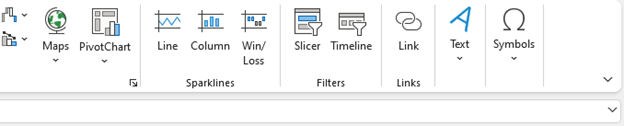
Now I will create a slicer button for City in this.
Now click the ok
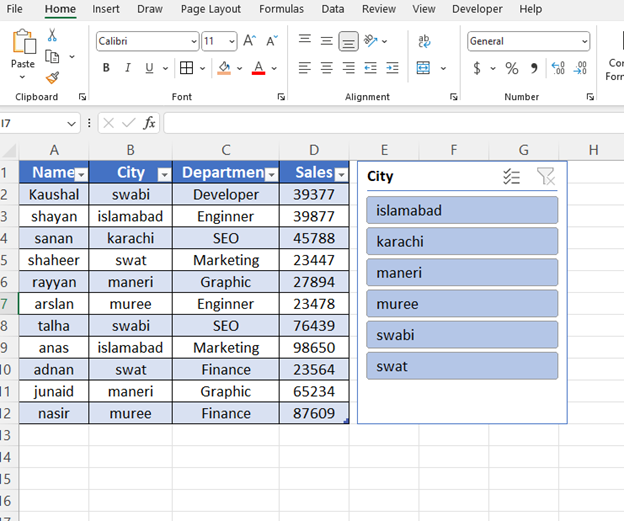
This slicer has been created.
I’ll try something and show you.
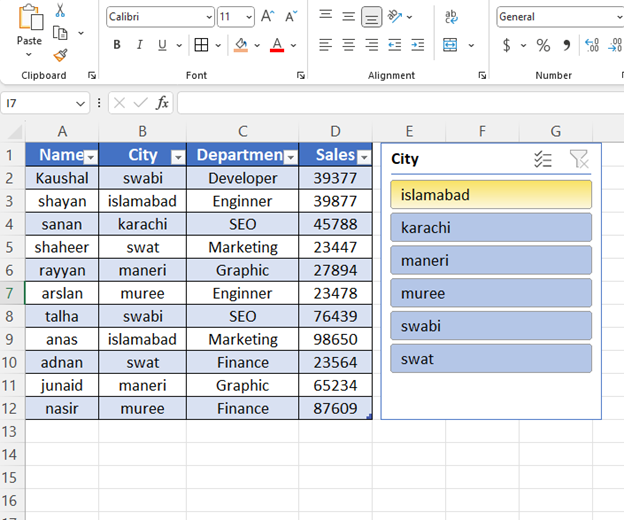
Clicked on Islamabad.
This is your slicer done.”
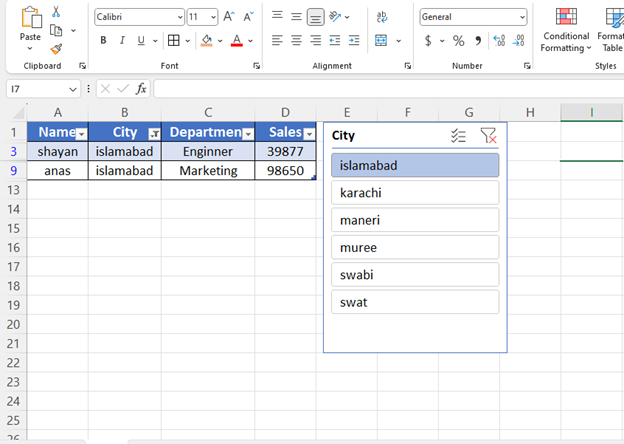
This is your slicer.
THANK YOU